Great shirts start with great files. When your artwork for screen printing is clean and sized right, your proof comes back faster and your shirts look sharper. This guide explains exactly what to send, even if you are not a designer.
The Best File Types for Screen Printing
Vector files are the gold standard. They use lines and shapes instead of pixels, so they stay sharp at any size. The best vector formats are:
- AI (Adobe Illustrator)
- EPS (Encapsulated PostScript)
- SVG (Scalable Vector Graphics)
- PDF, as long as it was saved from a vector program
If you do not have a vector file, send a high-resolution PNG instead. It should be at least 300 DPI at the size you want printed. However, avoid screenshots and images copied from websites, because they are usually too small.
Size Your Artwork for Screen Printing Correctly
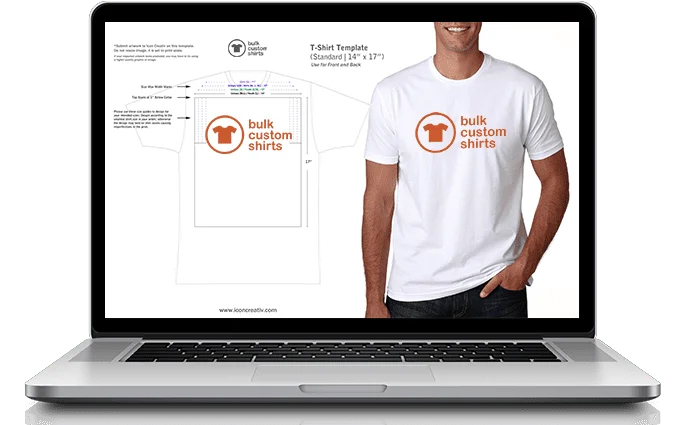
Design your artwork at the actual print size. For example, a full front print on an adult shirt is often about 10 to 12 inches wide. A left-chest logo, on the other hand, is usually about 3.5 to 4 inches wide. Also, keep in mind that youth and ladies’ shirts have smaller print areas.
Count Your Ink Colors
Next, look at the colors in your artwork for screen printing. Each ink color needs its own screen. Therefore, the number of colors in your design affects the price. Here are a few tips:
- Limit your design to one to three colors when possible.
- Remember that the shirt color can act as a color, too.
- Avoid gradients unless you plan on full-color process printing, which starts at 48 pieces.
Match Your Brand Colors With Pantone
Screens are printed with mixed ink, not dots of color like a desktop printer. So, we match ink to the Pantone Matching System. If your brand has Pantone numbers, include them with your order. If not, our team will suggest the closest matches. You can explore colors on the Pantone color finder.
Check Lines, Text, and Fonts
- Keep thin lines at least about 1 to 2 points thick, so they print cleanly.
- Make small text large enough to read, for example at least a quarter inch tall.
- Convert fonts to outlines in vector files, so they do not change.
- Also, double-check spelling, dates, and names before you approve.
What If Your File Is Not Ready?
Do not worry. Our design team reviews every file for free. If your artwork for screen printing needs cleanup, we will let you know before we print. In addition, you can start from one of our free design templates.
Next, compare methods in screen printing vs. embroidery, or read about custom screen printing.
Ready to Order?
Browse our custom apparel catalog for instant pricing, or request a free quote. Every order includes a free proof and free shipping in the lower 48 states.